TEI Processing Model transformations
TEI Processing Model allows us to express even very complex requirements for processing, including the distinctions in processing based on the document and application context. For each of the markup tags we need a specific handling, we must only provide an elementSpec with one or more nested model specifications.
The code fragment below shows elementSpec definitions and models that TEI Publisher uses for a few TEI elements: ab, add and app.
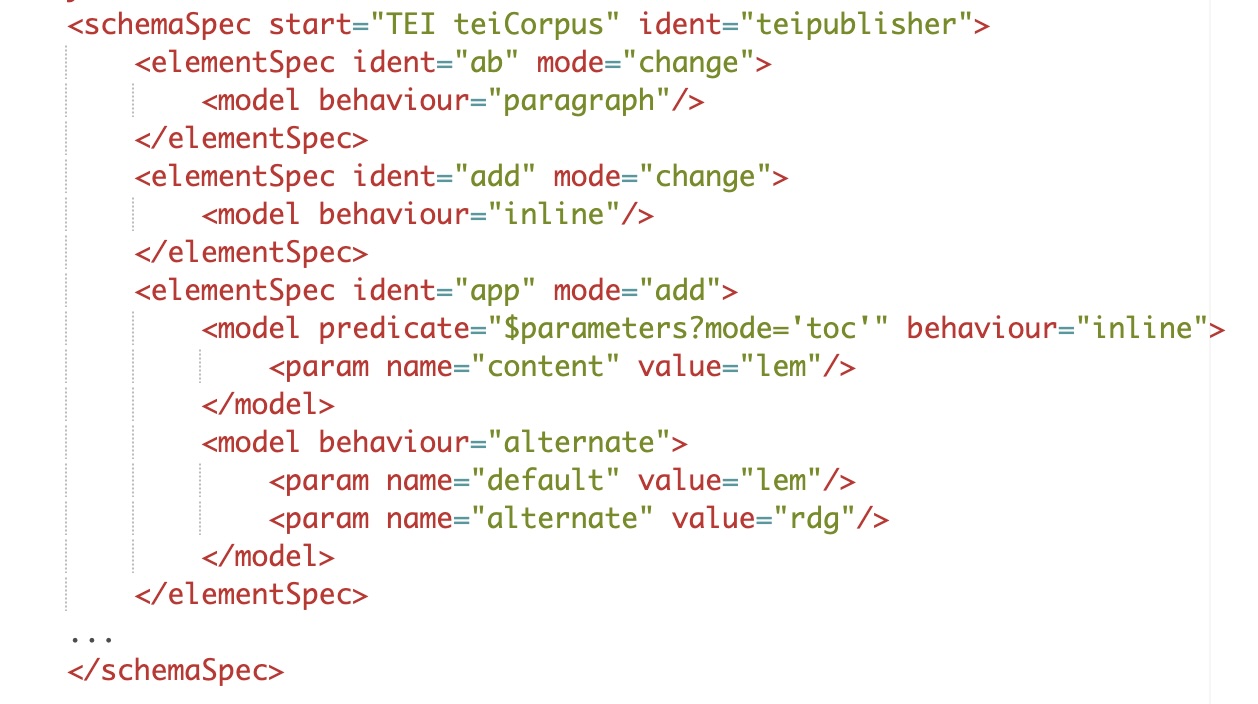
Models, behaviours and renditions
Every model must specify a behaviour, which often is one of the most common: inline, block, alternate, link or note. Many of the behaviour names are easily understandable, referring to basic web typesetting concepts: link, block, heading or inline. Others, e.g. pass-through or webcomponent, may require a word of explanation. TEI Guidelines provide a list of suggested behaviours. TEI Publisher allows users to add their own custom behaviours, either within the ODD itself or by writing XQuery code.
Behaviours define what kind of transformation is expected for the given input. In this sense, behaviours are functions and they may accept a range of parameters, depending on the function in question. For example, the link behaviour needs at least two parameters specifying how the URL for the link should be constructed and what the visible link text should be.
Behaviours, as abstract concepts, remain media agnostic. Their implementations in the TEI Processing Model library handle the mapping of the concept to the concrete output format, e.g. HTML or print. inline or note behaviours hardly differ across media, but obviously we cannot have hyperlinks on printed page, therefore link behaviour needs to be adjusted for print outputs.
Even with behaviours, we still lack a way to describe the
required formatting for our model, for example to declare that phrases marked as
deleted should be rendered with a strike-through, titles should be italicized
and lacunae marked with [...]. The CSS standard is extremely well
suited to express such editorial decisions, therefore TEI Guideline
specification highly recommends using CSS definitions for this purpose and TEI
Publisher strictly requires it. Follow to
Please note that any electronic publication needs a general CSS design,
regarding layout and styling of its user interface components. Such concerns
should be separated as much as possible from the specifications of the
processing models. TEI Publisher provides recommendations how to handle
these aspects in
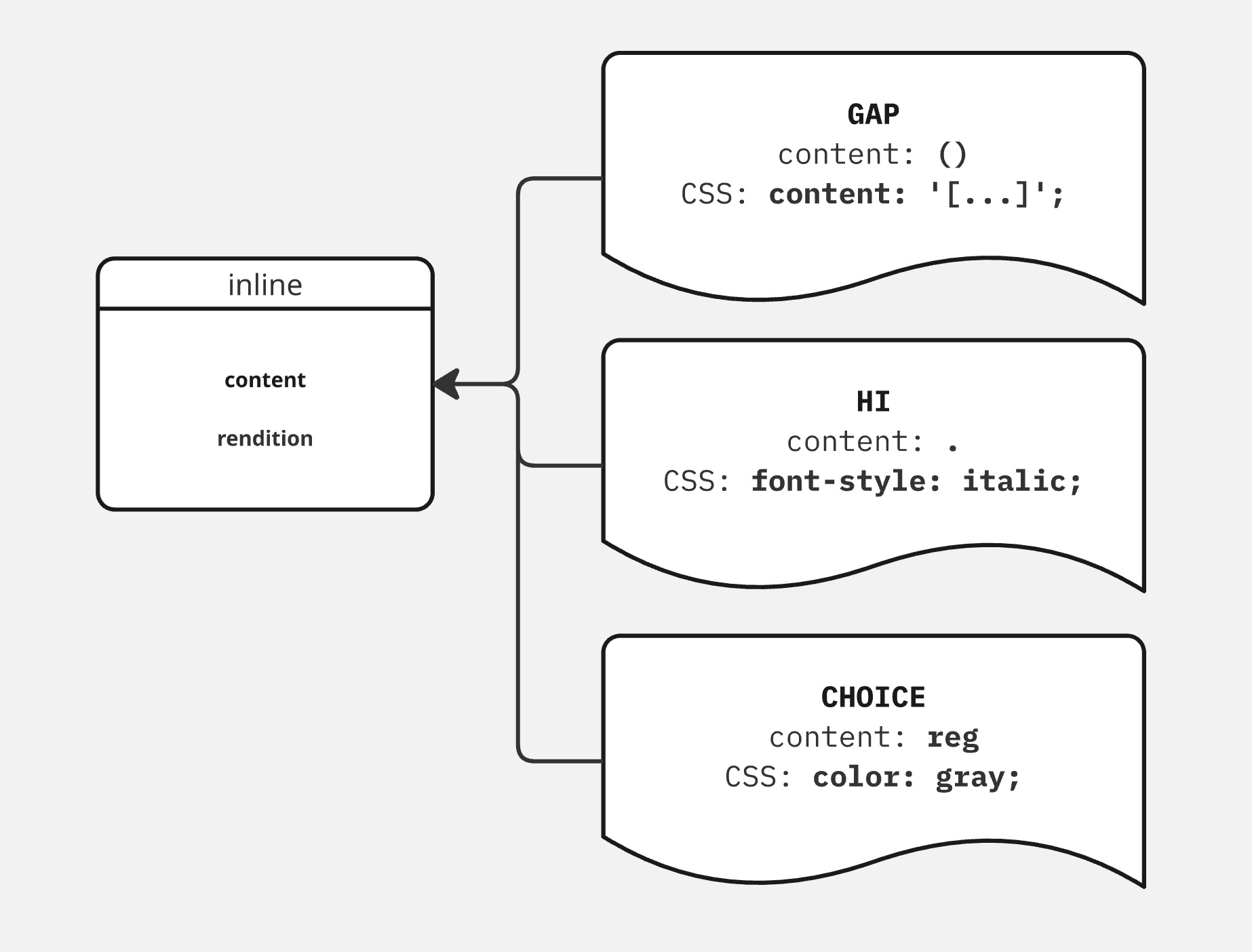
Illustration below shows, how the same inline behaviour can be used to process elements that are semantically very different. Just by adjusting the content parameter and specifying the required rendition in CSS the editorial intention for processing can be easily and clearly expressed.
CSS specification for each model can be provided directly, via nested outputRendition, or, better, indirectly, setting the cssClass on the model and placing actual CSS rules in a separate file.
Context-differentiated models
As mentioned above, processing models are defined first and foremost at the level of an individual markup element (XML tag). Requirements for the transformation are often relatively simple, for example, virtually all TEI-based editions will render p elements as paragraphs and foreign phrases as inline elements. unclear will be often followed by a (?) and sic by (!). For substantial majority of TEI, DocBook and JATS elements a single model suffices to process it.
On the other hand, a much smaller, but significant, number, particularly for TEI tags, require variant handling. It may be depending on the project conventions, the context in which the element appears in the source XML structure, and also the application context it is presented in. Let's illustrate these three situations with examples.
- Community convention
-
Words or phrases supplied by the editor where they are illegible or erroneously omitted in the source are encoded in TEI by supplied tag. Typical rendition of this phenomenon uses square brackets [] to mark the supplied phrase, while the dominant convention in Polish textual scholarship calls for angle brackets <>. Similar differences can be observed in typesetting conventions for expansion of abbreviations, marking of lacunae etc.
- XML context
-
TEI element title may be used in various locations in the TEI file. It is often used in the transcription, where any kind of work might have been mentioned in the source text. title may also occur in various metadata sections, from bibliography to the title of the TEI file itself. Depending on the context, it will be presented differently: the title of the entire TEI document will often be rendered as top-level heading, while one of the titles mentioned in the transcribed documents will typically become just an italicized inline phrase.
- Application context
-
The same source fragment may require different handling depending what is the purpose of the presentation. Let's assume that in our source document we have heavily encoded section heading (head), which includes a reference to a person (persName), but due to the damage to the manuscript witness, it is not fully legible. Nevertheless, the name can be easily reconstructed (supplied) based on other evidence available to the editor, who duly provides an explanatory note about the reconstruction process (note).
In the reading view of the edition, we want all the encoded information available to the reader, with the conjecture marked with brackets according to the convention, editorial note signaled with a note anchor in superscript and provided as a footnote, and possibly additional information about the identification of the person accessible as a tooltip or margin note.
On the other hand, for the table of contents, all the above would be just an irritating distraction, and in this scenario we want simply the plain, reading content of the heading.
Illustration below depicts a case where requirements for the reading view are drastically different from the table of content: the former including extensive critical apparatus and commentary, as well as some information about the layout of the primary source, while table of content focuses on chapter number with supplementary information regarding the range of paragraphs belonging to it. Chapter heading in this case is only available as a tooltip and rendered without any scholarly apparatus.
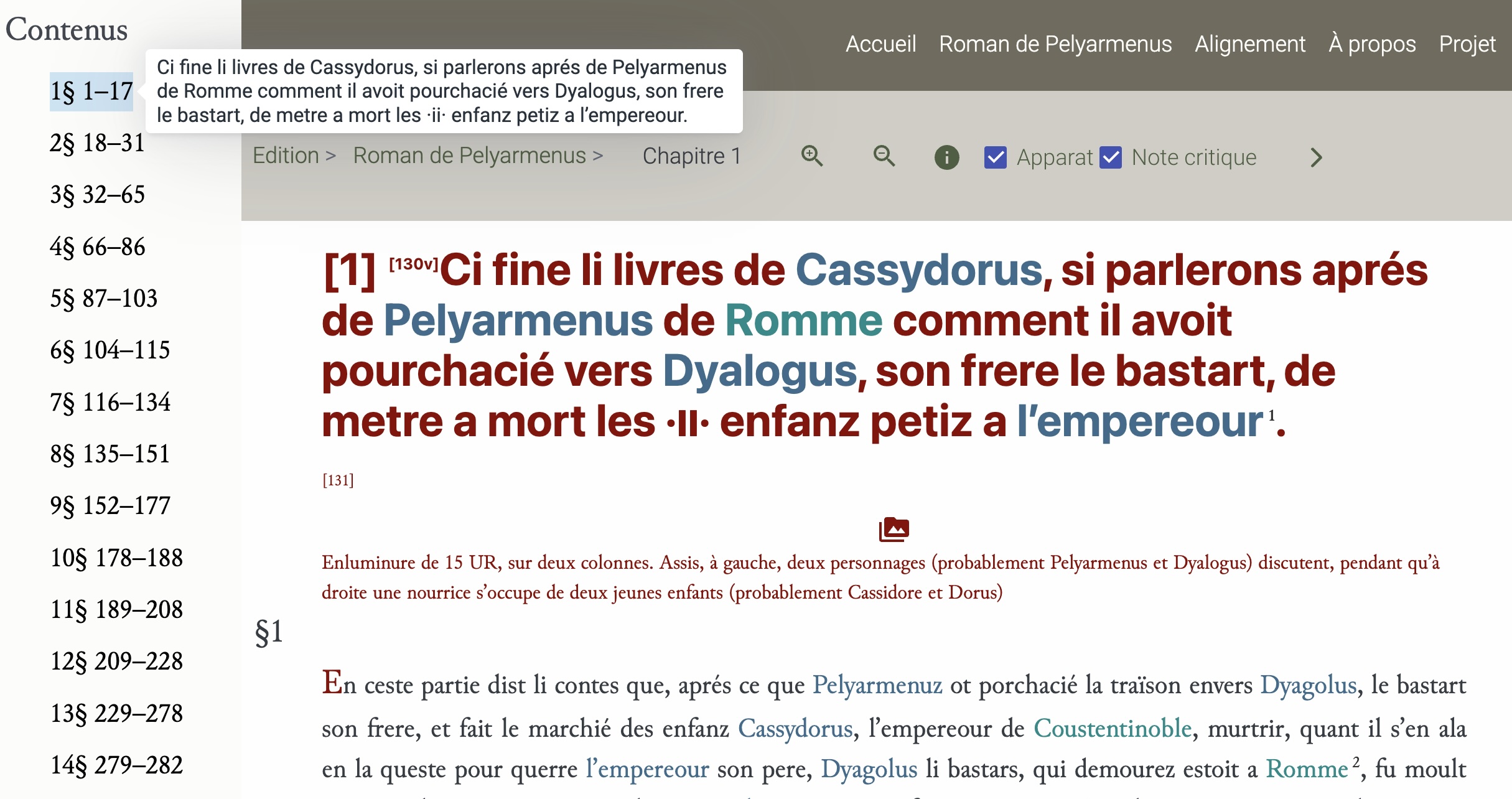
Example above originates from the Canoniser les Sept Sages project.